True Security Gear is reader-supported. When you buy through links on our site, we may earn an affiliate commission. This doesn't affect our verdicts.
Local storage keeps footage on a memory card or a base station inside the house, with no subscription attached, but it disappears the moment someone walks off with the camera or the hub. Cloud storage keeps a copy on a remote server, safe from a stolen device, but it usually comes with a monthly fee and depends on the home’s internet staying up during the event that actually matters. A single doorbell or one yard camera usually does fine on local storage. A setup covering several entry points, or one a renter needs for a landlord dispute, tends to earn its cloud subscription.
How Local Storage Actually Works
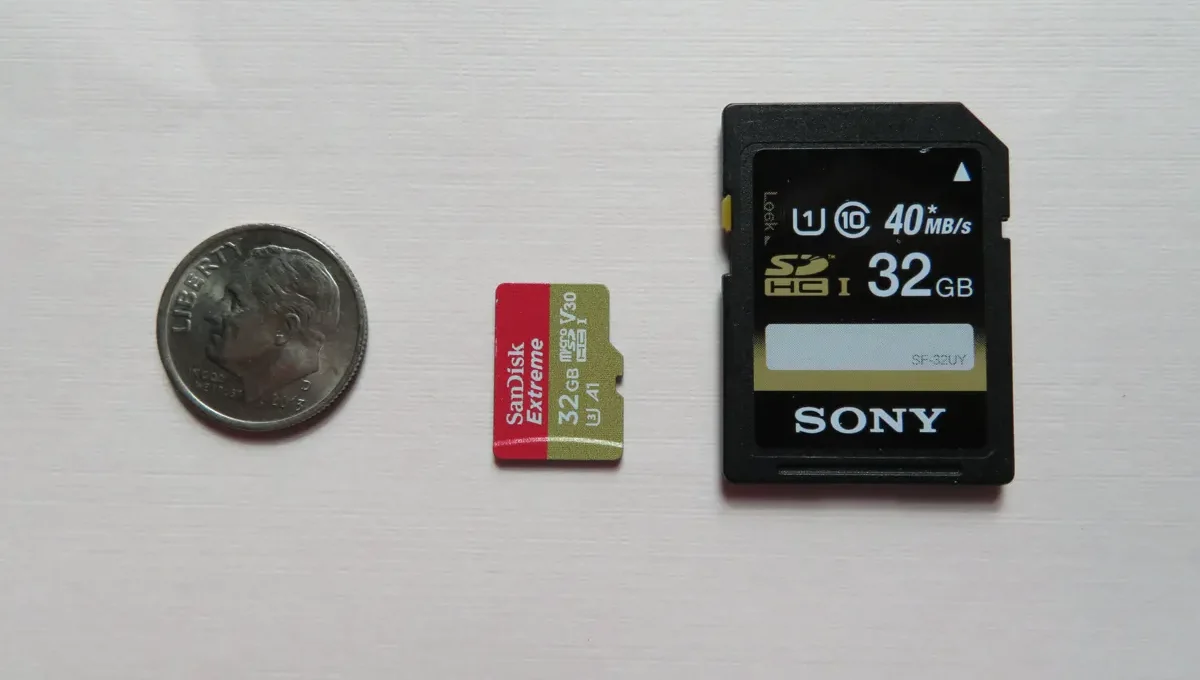
Most cameras built around local storage use a microSD card inside the camera body, or a base station with its own drive that talks to several cameras at once. Wyze, Eufy and several budget brands ship this way by default. Ring treats it as an add-on: certain plug-in and wired models support a local storage option through a compatible base station, on top of the standard cloud plan rather than instead of it.
Card size matters more than people expect. Owners report that older camera firmware caps out around 128GB or 256GB even when the physical slot accepts a larger card, so a fresh 512GB card can sit half-ignored. Check the model’s manual for its actual supported card size before buying one, rather than assuming bigger is automatically better.
Continuous local recording eats through a card fast. A single 1080p camera recording around the clock can fill a 128GB card in under two weeks, based on patterns owners describe in forums. Event-triggered recording, where the camera only saves clips around motion, stretches that considerably further.
Multi-camera households usually route everything through one hub or a network video recorder rather than a card in each camera, which simplifies playback but concentrates the risk in a single stolen or damaged box. A card that fills up generally starts overwriting the oldest footage automatically, a setting most cameras enable by default, though it’s worth confirming rather than assuming right after installation.
How Cloud Storage Actually Works
Cloud plans upload clips, or on pricier tiers continuous video, to the manufacturer’s servers as they happen. Manufacturers typically advertise a rolling retention window, commonly somewhere in the 30 to 60 day range depending on brand and plan tier, after which older clips get overwritten. The exact number is worth checking on the spec sheet for the specific plan, since it changes more between subscription tiers than most buyers assume.
The upload itself needs bandwidth. A camera set to continuous cloud recording can use a meaningful share of a home’s upload speed, and owners with slower rural connections describe buffering or dropped clips during peak hours. Event-based cloud recording is far lighter on the connection, since it only sends footage when something triggers it.
Encryption practices vary by manufacturer and rarely get spelled out in plain language on the box. Camera makers that publish detailed security documentation tend to describe encrypting footage both in transit and at rest on their servers, while budget brands sometimes say little more than that data is protected. Multi-user access, letting a second household member view clips from a separate login, is usually a cloud-tier feature that a local-only camera can’t offer without extra hardware.
What Happens If Someone Steals the Camera
This is the scenario each method handles in opposite ways. With local-only storage, a thief who grabs the camera or smashes the base station takes the evidence with it, memory card and all. With cloud storage, the clip already uploaded before the camera went dark, so the moment of the theft is often the clearest footage a household ends up with.
Some newer devices split the difference by uploading a short buffer of footage to the cloud even on a no-subscription plan, just enough to capture a triggering event before local recording would normally kick in. Check a specific model’s spec sheet rather than assuming a “local storage” camera has zero cloud behavior built in.
What the Monthly Fee Actually Buys You
A cloud subscription is rarely just storage. Person detection instead of generic motion detection, multi-camera bundling at one flat rate, video search by object, and longer retention windows are usually gated behind the paid tier, not the storage itself. A household that only wants a security record, and doesn’t care about smart alerts, can often get by on a camera line built around video doorbells that skip the monthly fee entirely and still keep useful footage locally.
Multi-camera households feel the fee more. A single-camera plan runs one price. Covering four or five entry points individually can cost several times as much, unless the brand offers a whole-home plan, which not every manufacturer does.
Local Storage and Cloud Storage Side by Side
| Factor | Local storage | Cloud storage |
|---|---|---|
| Monthly fee | Usually none | Typically required for full features |
| Survives camera theft | No, footage goes with the device | Yes, if the clip already uploaded |
| Works during an internet outage | Yes, if power stays on | No, uploads pause until the connection returns |
| Typical retention | Limited by card size, often days to weeks | Set by plan, often 30 to 60 days |
| Best fit | Single camera, tight budget, privacy-conscious household | Multi-camera setup, landlord or insurance documentation needs |
Which One Fits Your Home
Renters weighing this decision alongside placement rules should also check where a camera can legally go in a rented unit, since a lease can rule out certain mounting spots regardless of which storage method gets picked. A household deciding between a wired and a battery doorbell first should read the tradeoffs in how wired and battery doorbells actually differ, since battery models tend to lean harder on cloud storage to save power.
Anyone considering a solar-powered camera to skip the outlet entirely should check whether a solar security camera gets enough sun to stay charged before assuming storage is the only question left. For a broader look at which visible cameras actually deter anyone in the first place, the roundup of cameras that hold up as a visible deterrent covers that ground.
A hybrid approach, common on newer camera lines, keeps a local card as the primary record and reserves the cloud plan for short clips around motion events only. That combination costs less than a full cloud subscription while still leaving a trace if the camera itself disappears, which is often the middle ground a budget-conscious household ends up choosing once the tradeoffs are actually laid out side by side.
Our take
Local storage is the cheaper, simpler default for one or two cameras. Cloud earns its fee once a household is covering multiple entry points, or needs footage that survives the camera getting taken.
Common Questions About Local and Cloud Camera Storage
Can a camera use both local and cloud storage at once?
Yes, on several current models. Continuous recording goes to the local card while short event clips also upload to the cloud, so a stolen camera still leaves a trace of the theft even without a full subscription. Check whether a specific model supports this dual mode before assuming it does.
Does a bigger microSD card always mean more storage?
Not necessarily. Camera firmware often caps the card size it will actually recognize, and a card larger than that limit gets ignored past the cap or rejected outright. The camera’s manual states the maximum supported size, and checking that before buying a larger card saves a wasted purchase.
What happens to cloud footage if the subscription lapses?
Most manufacturers stop saving new clips to the cloud once a subscription ends, though live viewing usually still works. Existing footage from before the lapse generally follows the manufacturer’s normal retention schedule rather than staying indefinitely, so downloading anything important before cancelling is worth doing.
Is local storage actually more private than cloud storage?
Generally, yes, since footage never leaves the house or reaches a third-party server. A local system connected to a home network still carries its own security considerations, like a weak router password, so “local” isn’t automatically the same thing as fully private.
Does local storage still work if the power goes out?
No, not on battery-only devices once the camera itself loses power, and most base stations need to stay plugged in too. A separate battery backup for the base station, apart from the camera’s own battery, is the fix households describe using for short outages.
Whichever way a household leans, the number that actually matters is the retention window on the specific plan or card size being bought, not the marketing label of “local” or “cloud.” That number lives on the spec sheet, not the box art.
Who checked this
True Security Gear does not run a test lab and does not take units apart. One half of the work is documents: manufacturer specs, certifications, and seller claims checked against the paperwork. The other half is the record owners leave behind, in verified-buyer reviews, owner forums, and warranty complaints. Where that evidence is thin we say it is thin, rather than filling the gap with an adjective. The criteria are on How we evaluate.
Google lets you pick which sites come up first in your own results.